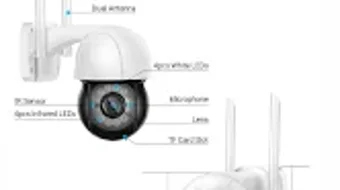

Download V380 Pro Smart Camera Guide – smart camera setup, camera troubleshooting, V380 Pro manual, V380 Pro app, V380 Pro camera instructions
Overview
The V380 Pro Smart Camera Guide is a dedicated utility designed to assist users in setting up, managing, and troubleshooting their V380 Pro Smart Camera devices. It serves as a comprehensive digital manual, offering step-by-step guidance for configuring various camera models within the V380 Pro series, including the Auto Tracking Camera, Surveillance IP Camera, Night Vision Camera, and Cloud Storage Camera. The app is tailored for both novice users seeking clear instructions and experienced users who require quick access to technical setup details.
Its primary purpose is to simplify the often complex process of smart camera integration, particularly when dealing with Wi-Fi setup, password configuration, and remote access point management. Users can follow guided workflows to ensure proper network connectivity and device synchronization. The guide also includes a dedicated troubleshooting section that addresses common operational issues, helping users resolve problems without external support.
Designed by V380 Pro Tech, the application supports multiple use cases, from home security monitoring to small business surveillance. It is available on both Android and iOS platforms, making it accessible to a broad audience of smart home device owners. The app does not replace the camera’s core functionality but enhances user experience by providing clear, structured guidance directly on mobile devices.
Key Features & Capabilities
- Step-by-step setup instructions – Clear guidance for initial camera configuration, including Wi-Fi smart link installation and access point setup.
- Camera model-specific guides – Tailored instructions for the V380 Pro Auto Tracking Camera, Night Vision Camera, Surveillance IP Camera, and Cloud Storage Camera.
- Password and reset management – Detailed procedures for setting secure passwords and performing factory resets when needed.
- Remote access configuration – Instructions on how to enable and verify remote viewing and alert notifications.
- Low-light optimization – Guidance on adjusting infrared LED settings and sensitivity levels for optimal night vision performance.
- Cloud storage management – Information on selecting and managing cloud storage plans, as well as retrieving recorded footage.
- Troubleshooting section – A curated list of common issues and their solutions, such as connectivity drops or notification failures.
These features are particularly useful in real-world scenarios where users may encounter difficulties during initial setup or experience intermittent connectivity. The structured layout ensures that users can quickly locate relevant information without navigating through lengthy documentation. The app is especially beneficial for users who prefer visual, interactive guides over static PDF manuals.
User Interface, Workflow & Performance
The user interface of the V380 Pro Smart Camera Guide is designed for clarity and ease of navigation. It features a clean, text-based layout with categorized sections, allowing users to quickly access setup guides, troubleshooting tips, and model-specific instructions. The app uses a hierarchical menu system, enabling users to drill down from general topics to detailed steps.
Workflow efficiency is prioritized through logical content sequencing. Each guide begins with prerequisites, followed by numbered steps and visual references where applicable. The navigation remains consistent across all sections, reducing cognitive load and minimizing user errors during setup. The app does not include interactive simulations or video demonstrations, relying instead on text and structured diagrams.
Performance details were not specified by the developer. However, based on its 15.2 MB size and utility-focused design, it is expected to operate smoothly on most modern Android and iOS devices. The developer did not specify resource usage details. Stability is assumed to be adequate for a static reference app, though real-world performance may vary depending on device capabilities.
Compatibility & System Requirements
The V380 Pro Smart Camera Guide is compatible with Android and iOS operating systems. The app version is 2.1, released on March 15, 2024. It has a file size of 15.2 MB, indicating a lightweight footprint suitable for mobile devices with limited storage.
Exact system requirements were not listed. The developer did not provide specific hardware or software specifications for minimum device capabilities. Compatibility information is limited to platform support, suggesting that the app is designed to function across a wide range of smartphones and tablets within the supported OS families. Users should ensure their device meets general mobile OS standards for app installation and operation.
Pros and Cons
Pros
- Comprehensive, model-specific setup guides for multiple V380 Pro camera variants.
- Clear, step-by-step instructions reduce setup errors and improve user confidence.
- Includes troubleshooting guidance for common issues.
- Available on both Android and iOS platforms.
- Lightweight at 15.2 MB, suitable for devices with limited storage.
- Designed for both beginners and experienced users.
Cons
- Does not include video tutorials or interactive walkthroughs.
- Limited to static text and diagrams, which may not suit all learning styles.
- Exact system requirements were not specified.
- Only offers guidance—does not control or interact with the camera directly.
- Paid app at $2.99, which may deter some users seeking free alternatives.
FAQ Section
Is the V380 Pro Smart Camera Guide compatible with all V380 Pro camera models?
The app provides guides for multiple models within the V380 Pro series, including the Auto Tracking, Night Vision, Surveillance IP, and Cloud Storage Cameras. However, full compatibility with every variant is not explicitly confirmed by the developer.
Can I use the app without an internet connection?
Yes, once downloaded, the app functions offline. All guides and troubleshooting content are stored locally, allowing access without an active internet connection.
Is the app secure to download and use?
The app is developed by V380 Pro Tech and distributed through official app stores. No security vulnerabilities have been reported. Users are advised to download only from trusted sources.
How often is the app updated?
The app was last updated on March 15, 2024. The developer has not provided a public update schedule. Users should check for updates periodically in their device’s app store.
Does the app control the camera directly?
No. The V380 Pro Smart Camera Guide is a reference tool only. It does not send commands to the camera or manage live feeds. Users must use the official V380 Pro camera app for real-time control and monitoring.
Final Thoughts + CTA
The V380 Pro Smart Camera Guide stands out as a reliable, well-structured companion for users of the V380 Pro camera ecosystem. While it does not replace the core camera application, it significantly enhances the setup and troubleshooting experience through clear, organized content. Its support for multiple camera types and offline functionality make it a practical tool for both new and seasoned users.
Although it lacks multimedia elements like video guides and direct camera interaction, its lightweight design and cross-platform availability ensure broad accessibility. For anyone invested in maximizing the performance of their V380 Pro Smart Camera, this guide offers valuable clarity and confidence during deployment.
Download V380 Pro Smart Camera Guide now to streamline your smart camera setup and resolve issues efficiently.







